Established Window Cleaners Setup guide
Importing your clients
As an established window cleaner approaching Guvnor, you will want to import your customers in one go with the import function you can find by clicking on the settings icon on the home screen. This is an area of Guvnor that is best used with a full desktop instead of a smartphone.
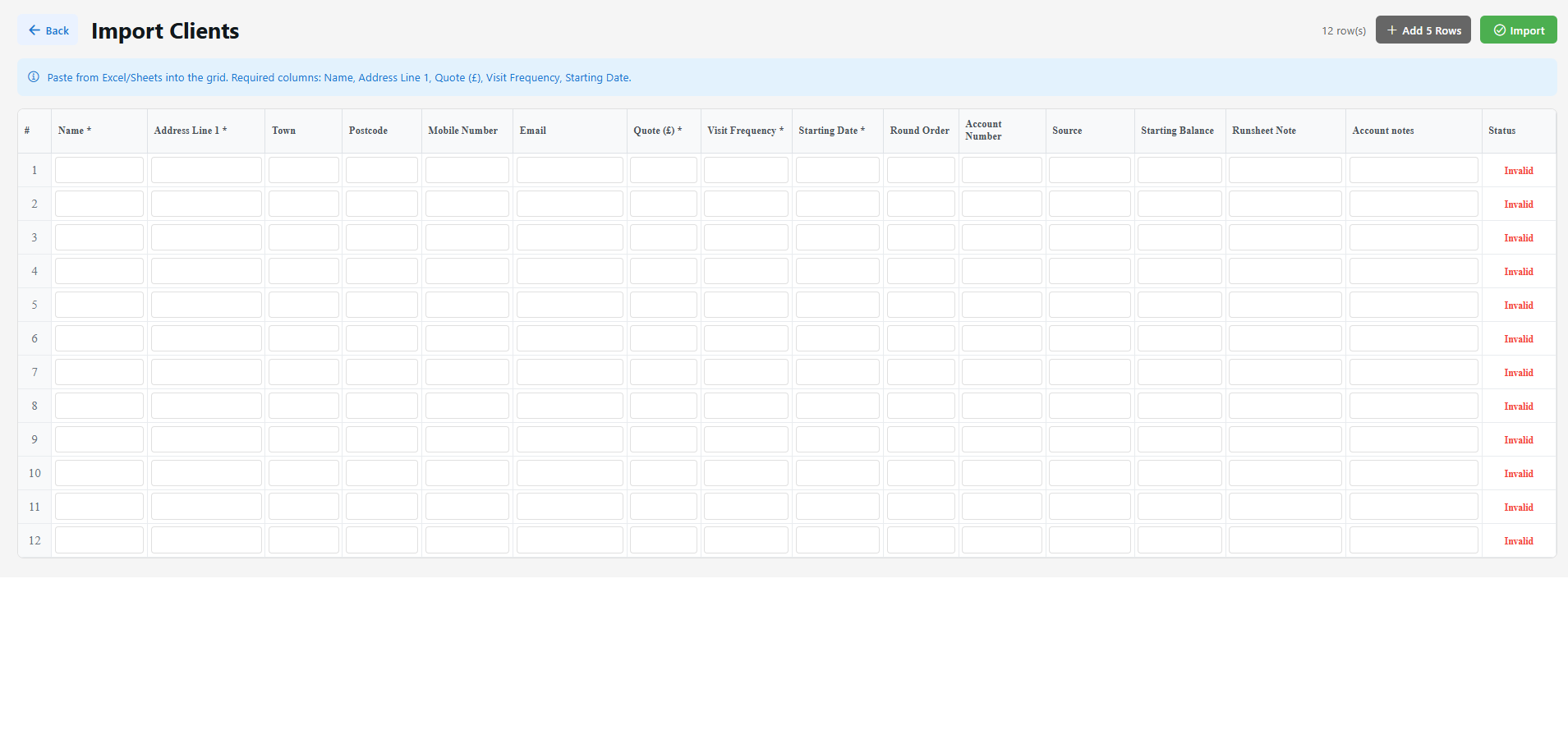
- If you have your customers on a spreadsheet in Excel or Google Sheets, you can organise them to copy and paste directly into this screen.
- Visit frequency - This is the time in weeks between visits, e.g., 4 or 8
- Starting date - This is the date of their next service
- Round order - This is a number. Imagine you were visiting all your customers in one day, order them from the 1st visit to the last visit.
- Account number - You can leave this blank. Each of your customers will be given an account number starting in RWC. Your customers using bank transfer should use this account number as their reference when they pay so their payments can be picked up automatically by Guvnor.
- Source - This is where you found your customer, e.g., Facebook, Google, Canvassing, On the curb.
- Starting Balance - If you want to credit them with a starting balance that isn't zero
- Runsheet note - This is a note that will be visible every time you visit the job, e.g., "Gate code 5080" or "Don't forget Velux window at the side"
- Account notes - This is a more detailed note that will appear only when you look into their account. You can add many of these by visiting the account later.
Importing Historic Payments
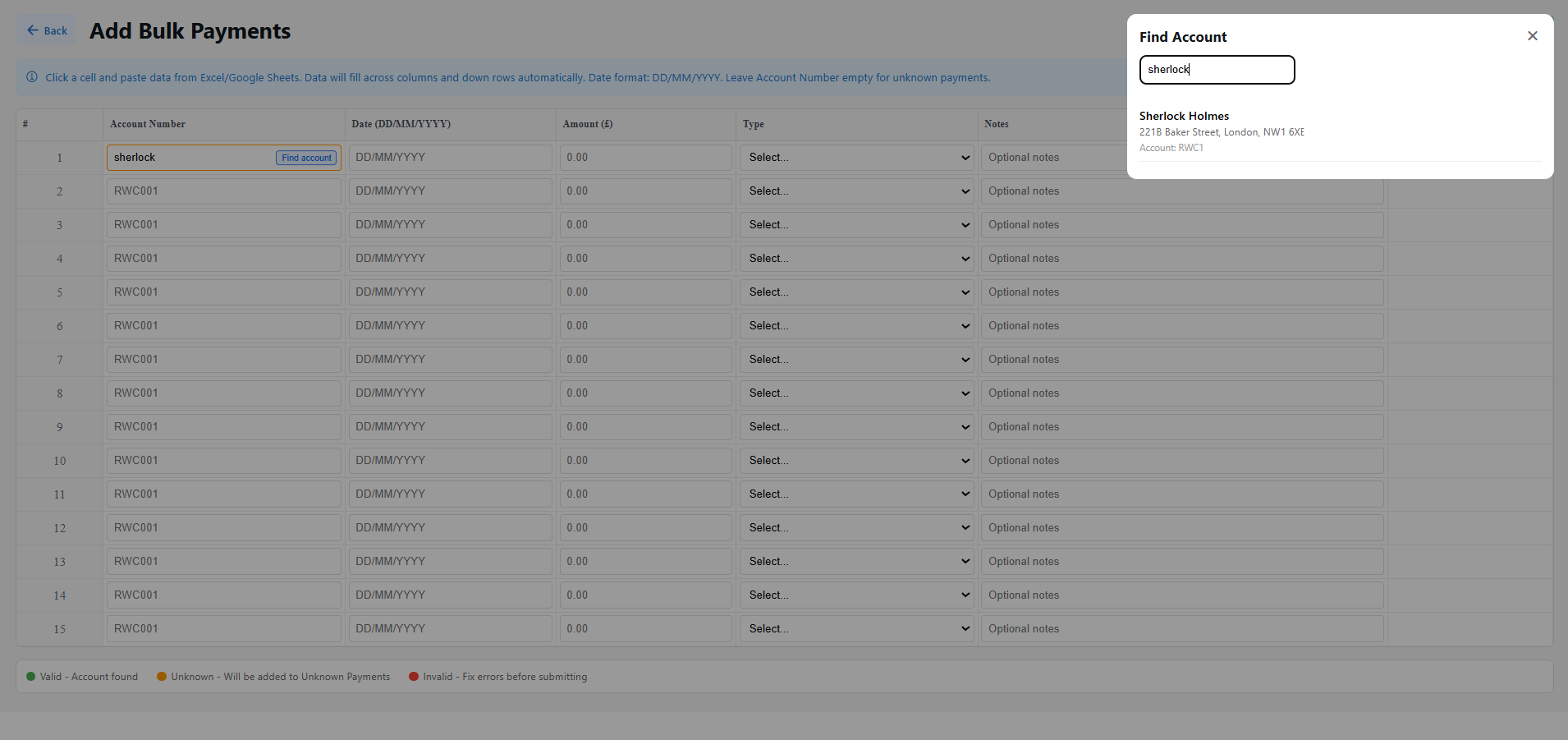
In Settings (gear icon on the home screen), there is an option called "Add Bulk Payments". This works very similarly to importing clients. You can add lines per payment, referencing the account number of each client. If you find it hard to reference the account number, you can use the finder to fetch it.
Importing Past Completed Jobs
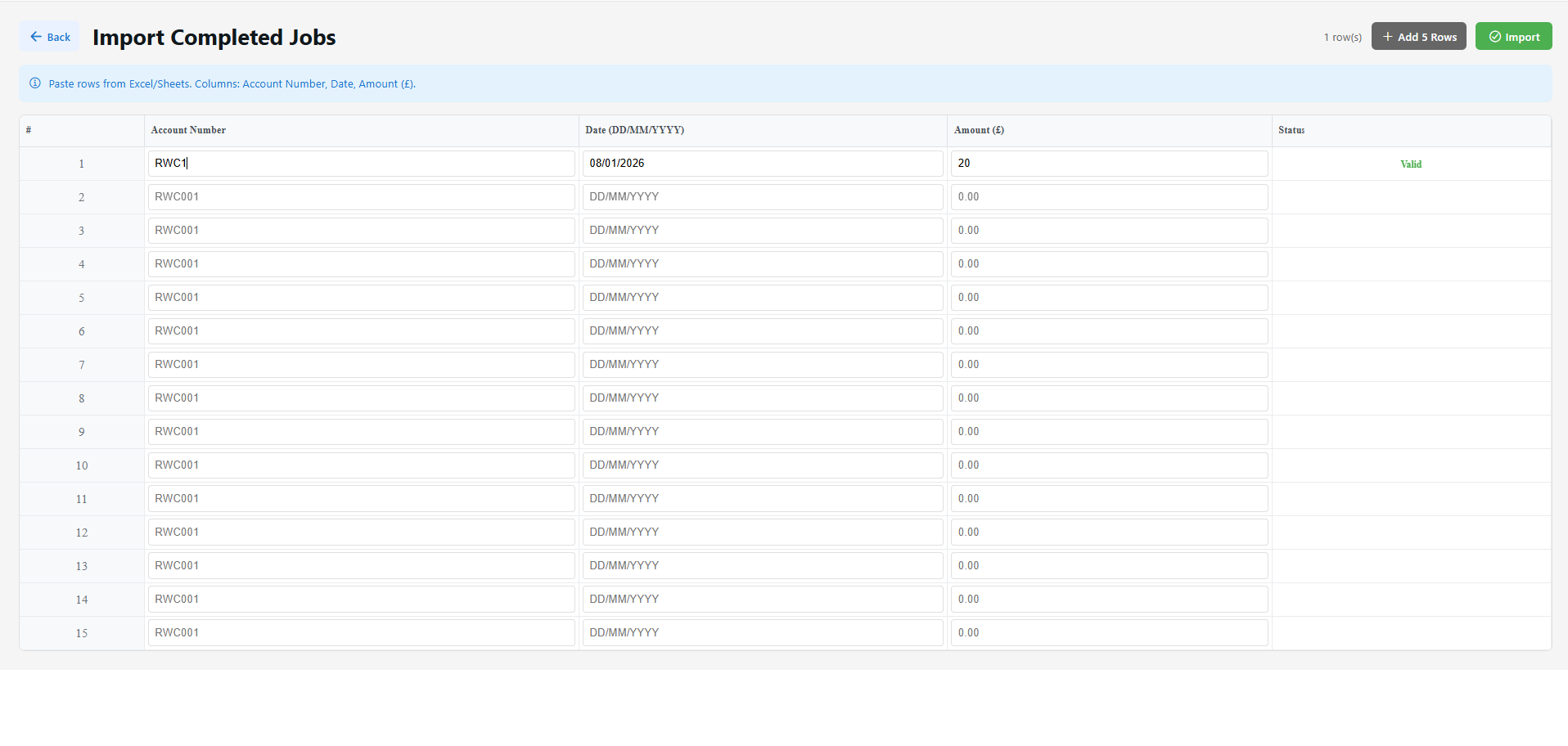
Lastly, open Settings from the home screen and import completed jobs in the same manner as the above two items.